
How to Clone Yourself for Social Media
What if you could create social media videos using your face and voice without recording yourself every single day?
You can.
AI avatar, image generation, voice cloning and video-generation tools have made it possible to create a digital version of yourself for content production.
The process is relatively simple:
Face → Background → Voice → Video → Content → Distribution
The important part is understanding that an AI clone isn’t supposed to replace you.
It should multiply you.
Instead of spending an hour recording a 30-second Reel, you can create the visual, generate the voice and produce the video using an AI-assisted workflow.
This guide explains exactly how to build that system.
Quick Answer: How Do You Clone Yourself for Social Media?
To clone yourself for social media, you need four main stages:
- Create a consistent AI version of your face
- Generate different environments and outfits while preserving your identity
- Clone your voice using clean audio
- Combine your AI image and voice into a talking video
A practical workflow is:
Nano Banana Pro → ElevenLabs → AI avatar/video generator
Nano Banana Pro is Google’s Gemini 3 Pro image-generation and editing model and is designed for high-fidelity visuals, consistent branding and detailed image editing.
ElevenLabs provides Instant and Professional Voice Cloning, allowing creators to generate speech using a representation of their own voice.
Problems → Questions → Intent → Solutions
This is the real reason people search for an AI clone.
Problem
“I want to create more content, but I don’t have time to record every day.”
Question
“Can I create videos that look and sound like me without filming?”
Intent
Create more social media content while reducing the time required for filming.
Solution
Build an AI content-production system around your face, voice, knowledge and personal brand.
The technology handles production.
You remain responsible for the ideas.
What Is an AI Clone?
An AI clone is a digital representation of you that can reproduce certain characteristics of your identity.
Depending on the technology, this can include:
- Face
- Voice
- Speaking style
- Visual appearance
- Clothing
- Background
- Gestures
- Expressions
- Content style
But there is an important distinction.
An AI clone isn’t your personality.
Your knowledge, experience, opinions and stories still come from you.
That is why the best AI clone workflow starts with your personal brand, not the avatar.
The Complete AI Clone Workflow
Here is the complete system:
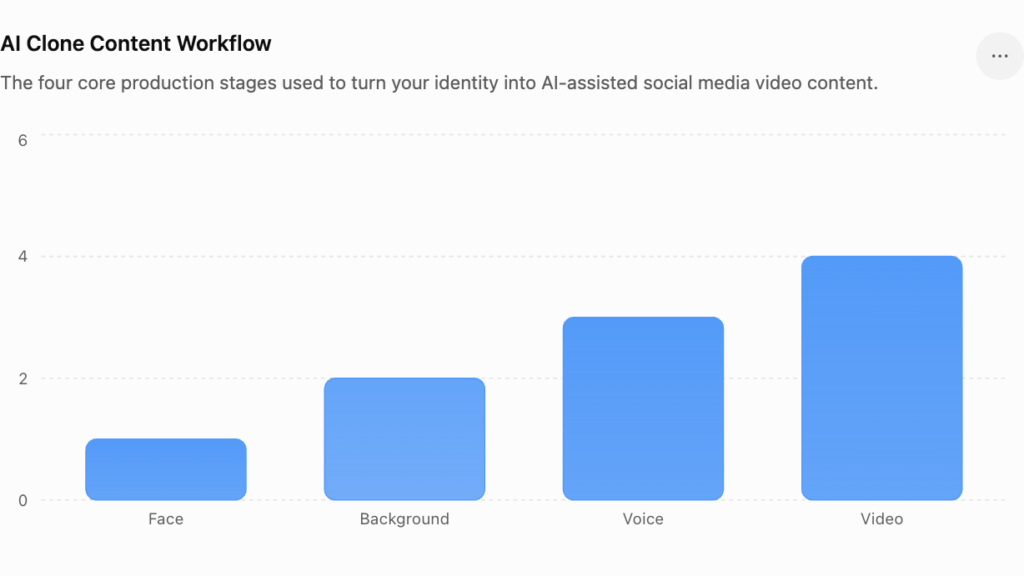
AI Clone Content Workflow
The four core production stages used to turn your identity into AI-assisted social media video content.0246FaceBackgroundVoiceVideo
Face Creation → Background Setup → Voice Clone → Video Creation
Let’s break down each stage.
Step 1: Create Your AI Face
Tool: Nano Banana Pro
The first step is creating a high-quality reference image.
This matters because your AI video is only as consistent as the visual identity you establish at the beginning.
Nano Banana Pro is built for high-fidelity image generation and editing, including subject consistency and detailed visual control.
Start with a clean, high-quality photograph.
Ideally:
- Face clearly visible
- Good lighting
- No sunglasses
- No extreme filters
- Minimal obstruction
- Natural expression
- High resolution
Then create your reference portrait.
Copy-Paste Prompt
A photorealistic portrait of this exact person, same identity, same hair, same facial proportions and recognizable features. Soft professional studio lighting, clean neutral background, realistic skin texture and natural pores. Preserve the person's facial structure and identity accurately. Natural imperfections, realistic skin detail, cinematic depth of field, sharp focus on the eyes, professional photography, high micro-detail, realistic color grading, premium editorial quality.The objective isn’t to make yourself look “better.”
The objective is to make the AI understand:
This is the person.
Step 2: Create Different Environments
Once you have a consistent reference image, you can create different versions of yourself.
For example:
Office
Podcast studio
YouTube setup
Marketing agency
Conference room
Home office
Street environment
Luxury studio
The key instruction is:
Change the environment without changing the person.
You want the AI to preserve your:
- Face
- Hair
- Skin tone
- Facial structure
- Body proportions
- Identity
while changing:
- Background
- Outfit
- Camera distance
- Lighting
- Environment
Copy-Paste Talking-Head Prompt
Photorealistic medium shot of the same person from the reference image. Preserve the exact facial structure, identity, proportions, skin tone, hair and recognizable features.

The subject is sitting at a professional desk facing the camera directly with a calm, confident and focused expression. Both forearms rest naturally on the table and the hands are visible.

The subject is wearing a simple premium polo shirt with subtle fabric texture and a small lavalier microphone clipped naturally to the collar.

Professional talking-head YouTube creator setup.

Soft cinematic studio lighting with a key light from the front-left at approximately 45 degrees, gentle fill from the opposite side and natural shadow falloff across the face.

Background includes a sophisticated office environment with subtle depth separation and a softly blurred background.

Professional camera look, shallow depth of field, sharp focus on the eyes, realistic skin texture and natural imperfections.

No beauty smoothing, no plastic skin, no exaggerated facial features.

Natural shadows, realistic color grading, cinematic contrast and premium studio photography.
Step 3: Clone Your Voice
Tool: ElevenLabs
Now you need the second major part of your identity:
Your voice.
ElevenLabs currently offers two main approaches:
Instant Voice Cloning
Designed for quickly creating a usable clone from relatively short audio samples.
ElevenLabs recommends approximately 1–2 minutes of clean audio for Instant Voice Cloning.
Professional Voice Cloning
Designed for higher fidelity and uses significantly more training audio.
ElevenLabs currently recommends approximately 30–180 minutes of good-quality audio for Professional Voice Cloning.
For most creators experimenting with AI social media content, start with clean, consistent audio rather than obsessing over recording length.
Your Recording Environment Matters
Record somewhere:
- Quiet
- Without echo
- Without background music
- Without fans
- Without multiple speakers
- With consistent microphone distance
ElevenLabs specifically recommends clean recordings without background noise, room reverb or multiple speakers.
And don’t try to sound like a news presenter.
Speak normally.
Your AI clone should sound like you, not like an AI trying to sound professional.
Step 4: Turn Your Face + Voice Into Video
Now comes the interesting part.
You have:
Your AI face
Your cloned voice
=
Talking AI avatar
AI avatar/video-generation platforms can animate a digital representation of you so it can deliver your script.
The goal is subtle realism.
You don’t want:
- Excessive head movement
- Constant hand waving
- Overacting
- Strange blinking
- Robotic expressions
You want:
Natural. Calm. Human.
Recommended Settings
For a talking-head marketing video, start with:
Motion: Subtle / Natural
Expression: Match the emotion of the voice
Posture: Calm and confident
Camera: Mostly static
Duration: Match the voiceover
Quality: Highest available
The less exaggerated the movement, the easier it is for viewers to accept the video as natural.
The Complete AI Clone Stack
| Step | Tool | Purpose |
|---|---|---|
| 1 | Nano Banana Pro | Face creation |
| 2 | Nano Banana Pro | Background and environment generation |
| 3 | ElevenLabs | Voice cloning |
| 4 | AI avatar/video generator | Talking video |
| 5 | ChatGPT | Scripts and content ideas |
| 6 | Video editor | Captions, hooks and final editing |
The tools will continue changing.
The workflow won’t.
Your AI Clone Shouldn’t Just Look Like You
This is where most people get it wrong.
Imagine you create an incredibly realistic AI version of yourself.
It looks exactly like you.
It sounds exactly like you.
But it says:
“Here are 5 tips to become successful in digital marketing.”
That’s not a clone.
That’s just AI-generated content wearing your face.
Your clone becomes valuable when it contains:
Your knowledge
Your opinions
Your stories
Your frameworks
Your humor
Your experiences
That’s what makes a personal brand recognizable.
Build Your Knowledge Clone First
Create a document containing your:
- Expertise
- Case studies
- Marketing frameworks
- Personal experiences
- Opinions
- Mistakes
- Lessons
- Stories
- Frequently asked questions
- Common client problems
For example, if your personal brand focuses on marketing, your AI knowledge base might include:
Performance Marketing
Meta Ads
Google Ads
TikTok Ads
Conversion Rate Optimization
Marketing Funnels
Consumer Psychology
Neuromarketing
AI Marketing
Personal Branding
Now the AI doesn’t just generate content.
It has context.
Create Your Personal Voice Guide
Tell your AI:
I write like this
Short sentences.
Simple words.
Direct explanations.
Occasional humor.
Strong opinions.
Examples from real marketing situations.
I don’t write like this
Corporate jargon.
Generic motivational quotes.
Fake statistics.
Overly formal language.
Obvious AI phrases.
This can dramatically improve the quality of your content.
One Idea Can Become 10 Pieces of Content
This is where the real advantage appears.
Imagine your original idea is:
“Your logo isn’t your brand.”
Your AI system can turn it into:
- LinkedIn post
- Instagram Reel
- TikTok
- Carousel
- Blog
- Newsletter
- YouTube Short
- X thread
- Podcast segment
One idea.
Ten formats.
That’s how you scale a personal brand.
Your AI Content Machine
The complete system looks like this:
Your experience
↓
Content idea
↓
AI research
↓
Your knowledge base
↓
Your writing style
↓
Script
↓
AI voice
↓
AI avatar
↓
Video editing
↓
Social media distribution
↓
Performance data
↓
Better content
The final step is important.
Your content performance should feed the system.
If a particular hook generates more watch time, create more hooks like it.
If a topic produces more saves, make more content around that topic.
If people comment with the same question repeatedly, turn it into another piece of content.
How to Make Your AI Clone More Human
Ironically, the best way to make AI content feel human is to give it more human information.
Give it:
Stories.
Failures.
Opinions.
Specific examples.
Unexpected observations.
Humor.
Contradictions.
Instead of:
“Marketing is important for business growth.”
Say:
“I’ve seen companies spend thousands fixing their logo while their landing page was quietly killing every lead.”
The second statement sounds like someone who has actually been in the room.
That’s the difference.
How Much Content Can an AI Clone Create?
Potentially a lot.
But don’t fall into the volume trap.
Publishing 10 mediocre videos every day isn’t necessarily better than publishing three useful videos every week.
The goal should be:
Higher output without lower quality.
Use AI to remove production friction.
Don’t use it as an excuse to publish more noise.
Can You Really Create Content Without Recording?
Yes, depending on the tools and workflow you use.
You can create:
- Talking-head videos
- Educational videos
- Product explainers
- Marketing tips
- Reels
- TikToks
- YouTube Shorts
- Advertisements
- Training content
without physically recording each individual video.
But you should still periodically create real content yourself.
Your real videos give your audience something an AI avatar cannot fully reproduce:
real human connection.
The Best Strategy: AI + Real You
Don’t replace yourself completely.
Use a hybrid model.
| Content Type | Best Approach |
|---|---|
| Major announcement | Real you |
| Personal story | Real you |
| Daily marketing tip | AI-assisted |
| Educational Reel | AI-assisted |
| Product explainer | AI-assisted |
| Behind the scenes | Real you |
| FAQ video | AI-assisted |
| Important opinion | Real you |
| Content repurposing | AI |
| Captions | AI + human review |
This gives you scale without losing authenticity.
Important: Don’t Clone Someone Else
There is a major ethical and legal distinction between:
cloning yourself
and
impersonating another person.
Only use your own face and voice, or follow the relevant platform’s authorization and consent requirements when working with another person’s likeness.
For example, ElevenLabs requires verification for Professional Voice Clones and states that Professional Voice Clones can only be created for your own voice.
Never use an AI clone to make someone appear to say something they never said.
The 5-Minute AI Clone Concept
The complete workflow can be summarized as:
1. FACE
Create a high-quality consistent reference image.
2. ENVIRONMENT
Create multiple backgrounds, outfits and camera setups while preserving your identity.
3. VOICE
Create a clean voice clone from your own recordings.
4. VIDEO
Combine the AI-generated visual and synthetic voice using an avatar/video-generation system.
5. CONTENT
Feed the system your actual ideas, knowledge and stories.
That final step is what separates a digital clone from a digital puppet.
Final Thoughts
The future of personal branding isn’t necessarily:
“AI will replace creators.”
It’s closer to:
“Creators with AI will outperform creators who refuse to use it.”
Your biggest advantage isn’t your face.
It isn’t your voice.
It isn’t even your ability to record videos.
It’s what exists behind those things.
Your experience.
Your knowledge.
Your perspective.
Your stories.
Your opinions.
AI can help you package those things faster.
And that’s the real opportunity.
Don’t clone yourself so you can disappear from your brand.
Clone yourself so your ideas can show up more often.
Frequently Asked Questions
Can I clone myself for social media?
Yes. AI image generation, voice cloning and avatar/video-generation technologies can be combined to create an AI-assisted version of yourself for social media content.
What is the easiest way to create an AI avatar?
Start with a high-quality reference image, then use an AI avatar platform that supports your image and voice workflow.
How much audio do I need to clone my voice?
It depends on the voice-cloning technology. ElevenLabs currently recommends roughly 1–2 minutes of clean audio for Instant Voice Cloning, while Professional Voice Cloning uses substantially more training audio.
Can I create videos without filming myself?
Yes. AI avatar and video-generation tools can create talking videos from an image, script and synthetic voice, depending on the platform.
Is an AI clone the same as a deepfake?
Not necessarily. An AI avatar can be a legitimate representation of yourself when you control and disclose its use. The problem arises when synthetic media is used to deceive people or impersonate someone without authorization.
Can AI clone my personality?
Not completely. AI can approximate your writing style and use information you provide, but your real experiences, judgment and personal identity cannot simply be reduced to a prompt.
Is Nano Banana Pro good for creating AI avatars?
Nano Banana Pro is particularly useful for generating and editing high-fidelity images and maintaining visual consistency, making it useful for creating reference images and environments for an AI avatar workflow.
Is voice quality important for an AI clone?
Extremely. Clean source audio generally produces better results. ElevenLabs specifically recommends recordings without background noise, room reverb and multiple speakers.
Should I disclose that my video uses an AI avatar?
For a personal brand, transparency is the safer approach, especially when the avatar is realistic enough that viewers could reasonably believe you recorded the video yourself.