
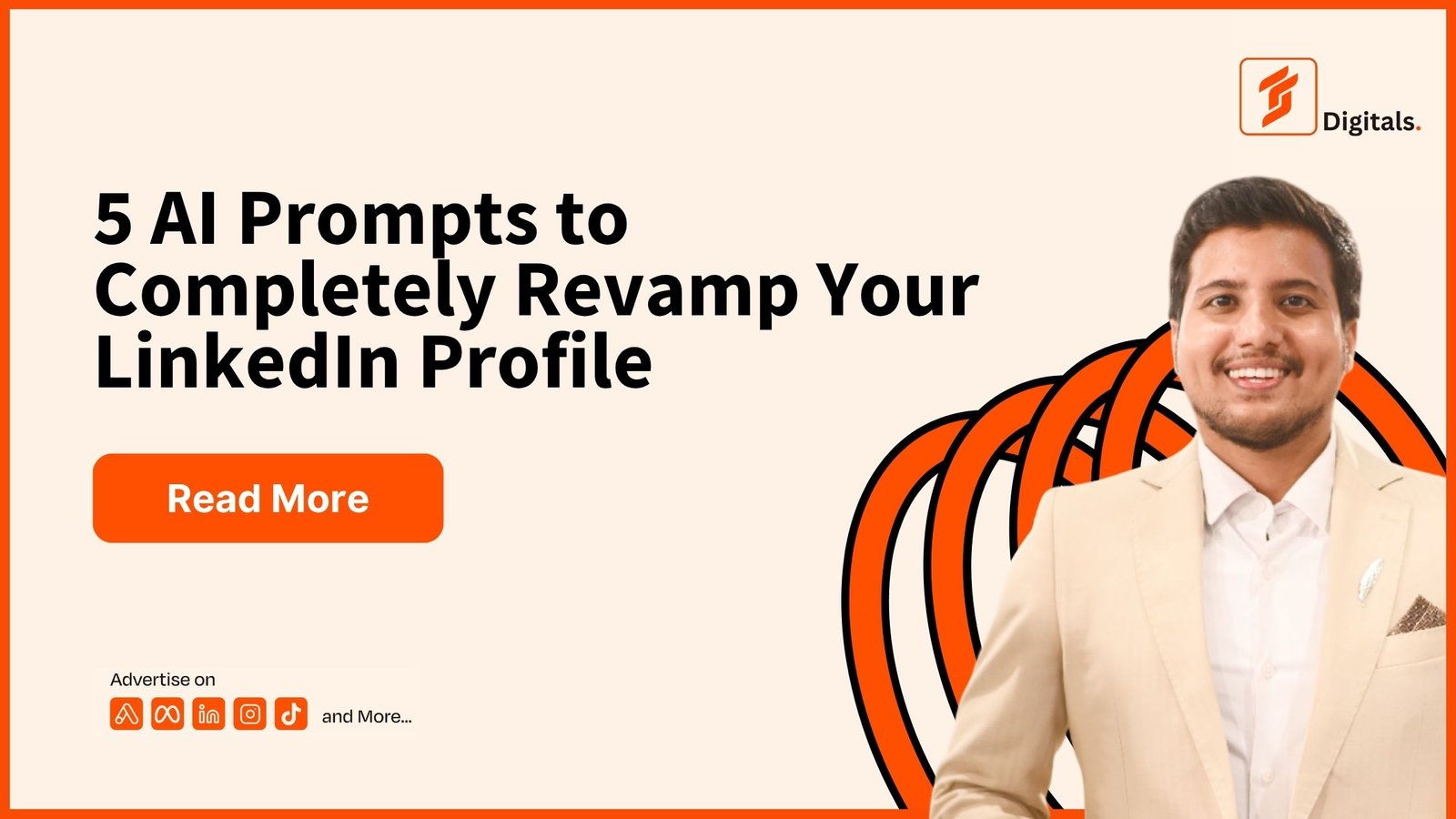
Your LinkedIn profile shouldn’t read like a CV that was uploaded and forgotten.
For freelancers, consultants, agency owners, founders and professionals, your profile can work more like a personal landing page: explain what you do, show who you help, establish credibility and give visitors a clear next step.
LinkedIn itself describes the introduction section as the first thing people see and allows you to customize elements including your profile photo, background photo, headline, current position, industry and contact information.
The Featured section can then be used to showcase posts, articles, documents, images and external links that demonstrate your work.
The problem is that most people optimize these sections separately.
A better approach is to make them tell one consistent story:
Who you help → What you do → What outcome you create → Why should people trust you → What should they do next?
Below are five prompts you can copy into ChatGPT, Claude or another capable AI tool.
Before You Start: Gather Your Information
Have these details ready:
- Name
- Industry
- Job title or role
- Target audience
- Ideal clients
- Main service
- Main problem you solve
- Outcome you create
- Years of experience
- Major achievements
- Revenue or performance results
- Number of clients served
- Industries served
- Skills
- Tools/platforms
- Website
- Portfolio
- Case studies
- Testimonials
- Social proof
- Preferred colors
- Personal brand style
- CTA
- Location
- Target market
Don’t invent numbers.
If you don’t have a metric, tell the AI that the information is unavailable rather than asking it to make one up.
Prompt 1: Create a High-Converting LinkedIn Banner
Your banner should immediately communicate your positioning instead of simply being a decorative background.
Copy this prompt:
Act as a senior LinkedIn personal branding strategist, conversion copywriter and premium visual brand designer.

I want you to create a high-converting LinkedIn banner concept for my personal brand.

PERSONAL INFORMATION

Name:
- [YOUR NAME]

Industry:
- [YOUR INDUSTRY]

Role:
- [YOUR ROLE]

Target Audience:
- [WHO YOU WANT TO ATTRACT]

Ideal Client:
- [IDEAL CLIENT]

Main Problem I Solve:
- [PROBLEM]

Main Service:
- [SERVICE]

Primary Outcome I Create:
- [OUTCOME]

My Unique Value Proposition:
- [UVP]

Years of Experience:
- [YEARS]

Major Proof:
- [CLIENTS / REVENUE / RESULTS / CERTIFICATIONS / OTHER PROOF]

Website:
- [WEBSITE]

CTA:
- [CTA]

Brand Colors:
- [COLORS]

Brand Personality:
- [PREMIUM / MINIMAL / BOLD / CORPORATE / MODERN / CREATIVE / ETC.]

Create a premium LinkedIn banner designed specifically to attract my target audience.

The banner must NOT feel like a CV.

The primary message should communicate the outcome I create for my ideal client.

Use this hierarchy:

1. Main outcome/value proposition
2. What I do
3. Who I help
4. Strongest proof point
5. Short CTA if appropriate

Do NOT overcrowd the banner.

Do NOT put every service, skill, certification, platform or achievement on it.

Give me:

1. Exact banner headline
2. Supporting subheadline
3. Proof statement
4. CTA
5. Recommended visual concept
6. Layout from left to right
7. Typography direction
8. Color direction
9. Image/graphic direction
10. What NOT to include
11. Exact AI image-generation prompt for creating the banner

Make the design look premium, modern, credible and conversion-focused.

LinkedIn banner dimensions should be considered during the design.

The banner must still make sense if someone understands it in only a few seconds.
LinkedIn’s own guidance describes the background photo as part of the profile’s introduction area, while LinkedIn’s personal-branding guidance recommends a professional and approachable profile picture and a distinctive headline.
Prompt 2: Create a Professional LinkedIn Profile Picture
Your profile photo doesn’t need to be complicated.
It needs to make you look credible, recognizable and approachable.
Copy this prompt:
Act as a professional personal branding photographer and LinkedIn visual identity strategist.

I want to create a premium LinkedIn profile picture for my personal brand.

MY INFORMATION

Name:
- [NAME]

Industry:
- [INDUSTRY]

Role:
- [ROLE]

Target Audience:
- [TARGET AUDIENCE]

Personal Brand Positioning:
- [POSITIONING]

Brand Personality:
- [PREMIUM / FRIENDLY / AUTHORITATIVE / MODERN / CREATIVE / CORPORATE / ETC.]

Preferred Clothing:
- [CLOTHING]

Preferred Colors:
- [COLORS]

Preferred Background:
- [BACKGROUND]

Age Range:
- [AGE RANGE]

Gender:
- [GENDER]

Professional Image:
- [CONSULTANT / FOUNDER / CEO / FREELANCER / MARKETER / DEVELOPER / ETC.]

I will provide my actual photograph as the reference image.

Create a LinkedIn profile-picture direction that keeps my real facial identity and does NOT transform me into another person.

The result should communicate:

- Professionalism
- Trust
- Confidence
- Approachability
- Expertise

Recommend:

1. Camera angle
2. Crop
3. Head and shoulder positioning
4. Facial expression
5. Lighting
6. Background
7. Clothing
8. Color treatment
9. Retouching level
10. Overall visual style

Avoid:

- Fake-looking skin
- Excessive retouching
- Sunglasses
- Group photos
- Distracting backgrounds
- Overly dramatic effects
- Artificial-looking AI features
- Luxury clichés
- Generic corporate stock-photo appearance

Then provide ONE final image-generation/editing prompt that can be used with my uploaded photo.

The final image should look like a real professional photograph, not an AI-generated portrait.
LinkedIn recommends a professional, friendly profile picture and currently specifies a square profile image format in its personal-branding guidance.
Prompt 3: Rewrite Your LinkedIn Headline
This is where most people make the biggest mistake.
They write:
Founder | CEO | Digital Marketer | Entrepreneur | Consultant | Speaker
That tells people your titles.
It doesn’t necessarily tell them why they should care.
Your headline should make your positioning understandable quickly.
Copy this prompt:
Act as a LinkedIn positioning strategist and conversion copywriter.

Rewrite my LinkedIn headline so it attracts my ideal clients rather than simply listing my job title.

MY INFORMATION

Name:
- [NAME]

Industry:
- [INDUSTRY]

Role:
- [ROLE]

Target Audience:
- [TARGET AUDIENCE]

Ideal Client:
- [IDEAL CLIENT]

Main Problem They Have:
- [PROBLEM]

What I Do:
- [SERVICE]

Main Outcome I Create:
- [OUTCOME]

How I Create That Outcome:
- [METHOD]

Strongest Proof:
- [PROOF]

Years of Experience:
- [YEARS]

Main Keywords People May Search:
- [KEYWORDS]

Website:
- [WEBSITE]

Create 10 LinkedIn headline options.

The headline should prioritize:

WHO I HELP
+
WHAT I DO
+
WHAT OUTCOME I CREATE
+
OPTIONAL PROOF

Do NOT make every headline sound like:

"Passionate about..."
"Helping businesses..."
"Digital transformation expert..."
"Results-driven professional..."

Avoid generic corporate language.

Avoid stuffing every skill, platform, certification and achievement into the headline.

Make the headlines:

- Clear
- Specific
- Client-focused
- Search-friendly
- Easy to understand
- Credible
- Human
- Outcome-focused

Keep within LinkedIn's current headline character limit.

For each headline, explain in one sentence why it works.

Then select the strongest positioning direction WITHOUT calling it "the best" and explain the tradeoff between clarity, specificity and proof.
LinkedIn says your headline can be customized rather than simply using your current employment position, and describes it as a way to demonstrate your expertise or vision.
Prompt 4: Rewrite Your LinkedIn About Section
Your About section should connect your client’s problem → your solution → your proof → your CTA.
It shouldn’t read like someone copied their resume into LinkedIn.
Copy this prompt:
Act as a senior LinkedIn personal branding strategist, B2B copywriter and conversion-focused positioning consultant.

Rewrite my LinkedIn About section so it speaks directly to my ideal audience.

MY INFORMATION

Name:
- [NAME]

Industry:
- [INDUSTRY]

Role:
- [ROLE]

Ideal Audience:
- [AUDIENCE]

Ideal Clients:
- [CLIENT TYPE]

Their Biggest Problems:
- [PROBLEMS]

What I Help Them Achieve:
- [OUTCOMES]

How I Do It:
- [PROCESS / METHOD]

Main Services:
- [SERVICES]

Experience:
- [YEARS]

Major Results:
- [RESULTS]

Clients/Brands Worked With:
- [CLIENTS]

Industries:
- [INDUSTRIES]

Skills:
- [SKILLS]

Platforms/Tools:
- [TOOLS]

Unique Difference:
- [WHAT MAKES ME DIFFERENT]

Personal Story:
- [SHORT STORY IF RELEVANT]

Website:
- [WEBSITE]

Primary CTA:
- [CTA]

Write a LinkedIn About section using this structure:

1. Strong opening hook focused on the audience's problem or desired outcome.
2. Explain the problem in a way my ideal client can recognize.
3. Explain what I do.
4. Explain how I approach the problem.
5. Explain the outcomes I help create.
6. Add relevant proof.
7. Explain who I work with.
8. Briefly introduce my experience or story where useful.
9. Add relevant keywords naturally.
10. Finish with a clear CTA.

Do NOT write it like a traditional CV.

Do NOT start with:
"My name is..."
"I am a passionate..."
"I have always been..."
"Welcome to my profile..."

Use short paragraphs that are easy to scan on mobile.

Keep the language human, specific and confident.

Never invent achievements, clients, numbers or credentials.

Give me:

A. Final About section
B. Stronger alternative opening
C. CTA options
D. Keywords naturally incorporated
E. A shorter version if the original becomes too long
LinkedIn’s own profile guidance emphasizes using the profile to communicate your professional identity, while current LinkedIn guidance and professional profile examples emphasize clarity, relevant achievements and measurable results.
Prompt 5: Build Your LinkedIn Featured Section
This is where your profile should prove the claims you’re making above.
LinkedIn describes Featured as a place to showcase work samples, including posts, articles, external media, documents and links.
So don’t randomly dump five links there.
Build a journey.
Copy this prompt:
Act as a LinkedIn personal branding strategist and conversion funnel consultant.

Design my LinkedIn Featured section so it turns profile visitors into qualified prospects, clients, employers, collaborators or leads.

MY INFORMATION

Name:
- [NAME]

Industry:
- [INDUSTRY]

Role:
- [ROLE]

Target Audience:
- [AUDIENCE]

Ideal Client:
- [IDEAL CLIENT]

Main Problem I Solve:
- [PROBLEM]

Main Outcome:
- [OUTCOME]

Services:
- [SERVICES]

Main Offer:
- [OFFER]

Free Offer / Lead Magnet:
- [LEAD MAGNET]

Website:
- [WEBSITE]

Booking Link:
- [BOOKING LINK]

Portfolio:
- [PORTFOLIO]

Case Studies:
- [CASE STUDIES]

Testimonials:
- [TESTIMONIALS]

Best LinkedIn Posts:
- [POSTS]

Best Articles:
- [ARTICLES]

Major Results:
- [PROOF]

Create a strategic Featured section.

I want 3 to 5 featured assets.

Build the sequence around:

1. Problem / Pain Point
2. Solution / Value Proposition
3. Proof / Case Study
4. Useful Resource / Lead Magnet
5. Conversion / Next Step

For every Featured asset provide:

- Asset title
- Thumbnail headline
- 1-line description
- What the asset should contain
- Recommended CTA
- Destination URL
- Why it belongs in the Featured section
- Recommended visual concept
- Exact prompt for designing the thumbnail

Do NOT recommend random content.

Every Featured asset must support my positioning and move the visitor toward the appropriate next step.

If I don't have a case study, lead magnet or testimonial, tell me what type of asset I should create instead.

Design the Featured section like a simple conversion journey:

ATTENTION → TRUST → PROOF → VALUE → ACTION
LinkedIn says Featured content can showcase your work and that you can curate the content visitors see there.
How These 5 Prompts Work Together
Don’t use the prompts independently.
Use them as a LinkedIn Profile System:
1. Profile Picture
Builds recognition and trust.
↓
2. Banner
Communicates positioning.
↓
3. Headline
Makes the value proposition immediately understandable.
↓
4. About
Explains the problem, solution, experience and outcome.
↓
5. Featured
Provides evidence and gives visitors a next step.
That creates one consistent message instead of five disconnected pieces.
Example: Farooq Shafi
Using the information provided in your brief, the positioning could become:
Banner
PERFORMANCE MARKETER
Turn Paid Ads Into Customers, Sales & Revenue
Track • Measure • Optimize What Happens After the Click
$68M+ Ad Spend Managed | 100+ Brands | 5X–10X ROAS
Headline
Performance Marketer | Helping Business Owners Generate Customers & Revenue Through Paid Ads | Track → Measure → Optimize
Core positioning
Paid Ads → Tracking → Optimization → Customers → Revenue
That’s much easier to understand than trying to put every platform, industry, skill and achievement into one headline.
The Biggest Rule: Don’t Make Every Section Say the Same Thing
Your LinkedIn profile should have message consistency, not message repetition.
For example:
Banner:
What outcome do you create?
Headline:
Who do you help and how?
About:
Why should they trust you?
Featured:
Can you prove it?
CTA:
What should they do next?
That’s how your LinkedIn profile starts behaving more like a conversion page than an online résumé.
LinkedIn’s Featured section is specifically designed to showcase work samples, while the introduction section contains the profile photo, background photo, headline and other first-view information.
One More Prompt You Should Use Before Publishing
After running all five prompts, use this final audit:
Act as a brutally honest LinkedIn personal branding and conversion auditor.

Review my complete LinkedIn profile using the information below.

NAME:
- [NAME]

INDUSTRY:
- [INDUSTRY]

TARGET AUDIENCE:
- [AUDIENCE]

IDEAL CLIENT:
- [IDEAL CLIENT]

BANNER:
- [BANNER]

PROFILE PHOTO:
- [PHOTO DESCRIPTION]

HEADLINE:
- [HEADLINE]

ABOUT:
- [ABOUT]

FEATURED SECTION:
- [FEATURED ASSETS]

SERVICES:
- [SERVICES]

PROOF:
- [PROOF]

WEBSITE:
- [WEBSITE]

Evaluate the profile from the perspective of someone who could potentially hire me.

Answer:

1. Can I understand what this person does within 5 seconds?
2. Can I identify who they help?
3. Can I understand the outcome they create?
4. Is the positioning specific enough?
5. Does the banner support the headline?
6. Does the About section explain the value proposition?
7. Does the Featured section provide proof?
8. Is there too much information?
9. What information should be removed?
10. What important information is missing?
11. Is the CTA clear?
12. Does the profile feel credible?
13. Does the profile feel like a personal brand or a CV?
14. What are the three biggest conversion problems?
15. Rewrite only the sections that genuinely need improvement.

Do not compliment the profile unnecessarily.

Be specific and explain exactly what should change.
Final Checklist
Before you publish your new profile, ask:
Can someone understand what I do?
Can they understand who I help?
Can they understand what result I create?
Can they see proof?
Can they find my work?
Can they take the next step?
If the answer to all six is yes, your profile is doing considerably more than simply listing your career history.
Your profile should make the right person think:
“This person might be able to solve my problem.”
That’s the objective.
About Farooq Shafi
Farooq Shafi writes about Marketing, AI, Paid Ads, CRO, personal branding and business growth, with practical frameworks and tools for founders, marketers, freelancers and business owners.
SEO Keywords: LinkedIn profile optimization, LinkedIn personal branding, LinkedIn profile prompts, LinkedIn banner prompt, LinkedIn headline prompt, LinkedIn About section prompt, LinkedIn profile picture prompt, LinkedIn Featured section, LinkedIn profile redesign, LinkedIn optimization 2026, personal branding prompts, LinkedIn AI prompts.